RAID recovery using File Scavenger File Restore Home PageFile ScavengerData Recovery ServicesFile Recovery SupportAbout Hard Drive Recovery     Internet Security By ControlScan         Data Recovery Software & Services - VefiSign Secure Order
 

Data Recovery Tool
  File Scavenger®

Services
  RAID Recovery

Site Services
  Download
  Buy Online
  Account Login

Language
  English
  Deutsch
  日本語
  Français
  Italiano

Magazine Reviews
  Maximum PC

Testimonials
What our customers are saying!
 
   Microsoft Certified Partner
 
        Meets allBBBOnLine Reliability participation and Better Business Bureau membership standards.
 

Hardware-based RAID status screen snapshots

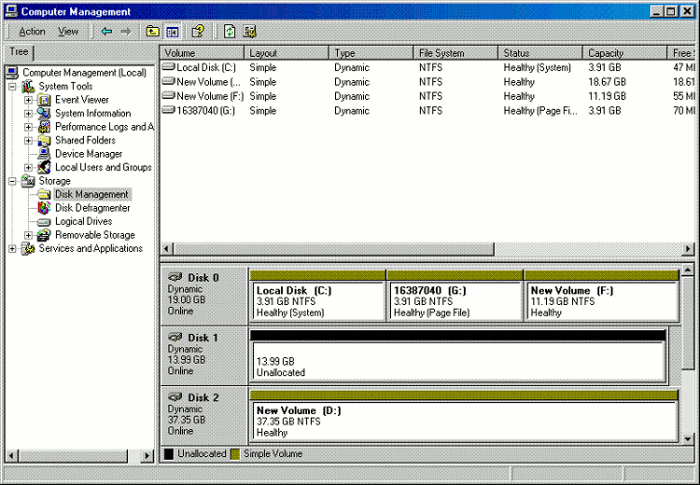
A hardware-based RAID in working order

A RAID 0 implemented in hardware

Disk 2 (drive D): A hardware-based RAID 0 comprising two 18.68-GB disks is displayed as a single 37.35-GB disk.
(Disk 0 and 1 are irrelevant.)

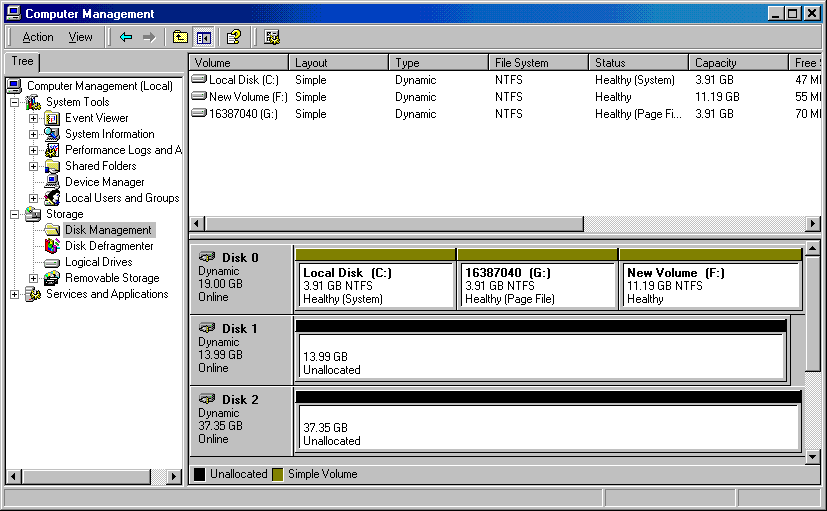
A hardware-based RAID without a drive letter

A hardware RAID without a drive letter

Disk 2: A hardware-based RAID 0 comprising two 18.68-GB disks is displayed as a single 37.35-GB disk without a drive letter.
(Disk 0 and 1 are irrelevant.)

A reformatted volume on a hardware-based RAID

A RAID 0 implemented in hardware

Drive D: A reformatted volume on a hardware-based RAID 0. The RAID comprises two 18.68-GB disks displayed as a single 37.35-GB disk.
(Disk 0 and 1 are irrelevant.)

A failed hardware-based RAID

A RAID 0 implemented in hardware

Before failure: A RAID comprising two 18.68-GB disks displayed as a single 37.35-GB disk.
(Disk 0 and 1 are irrelevant.)

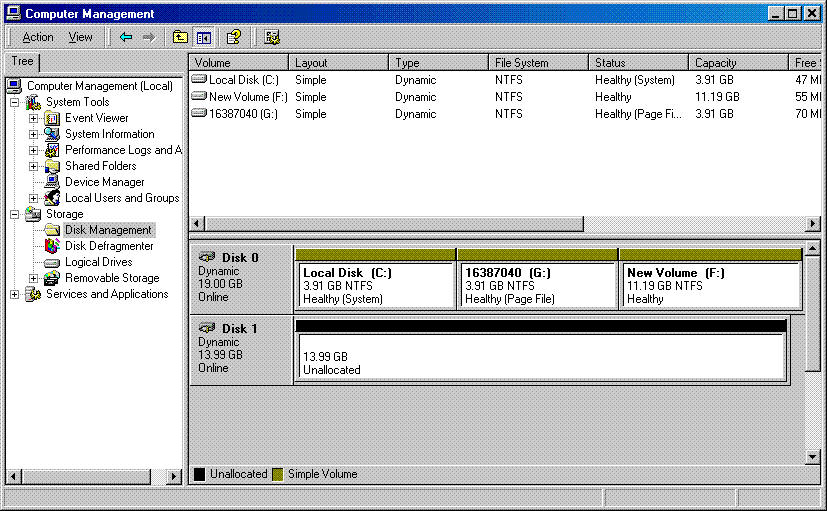
A failing RAID is no longer displayed

After failure, case 1: The RAID is no longer displayed.
(Disk 0 and 1 are irrelevant.)

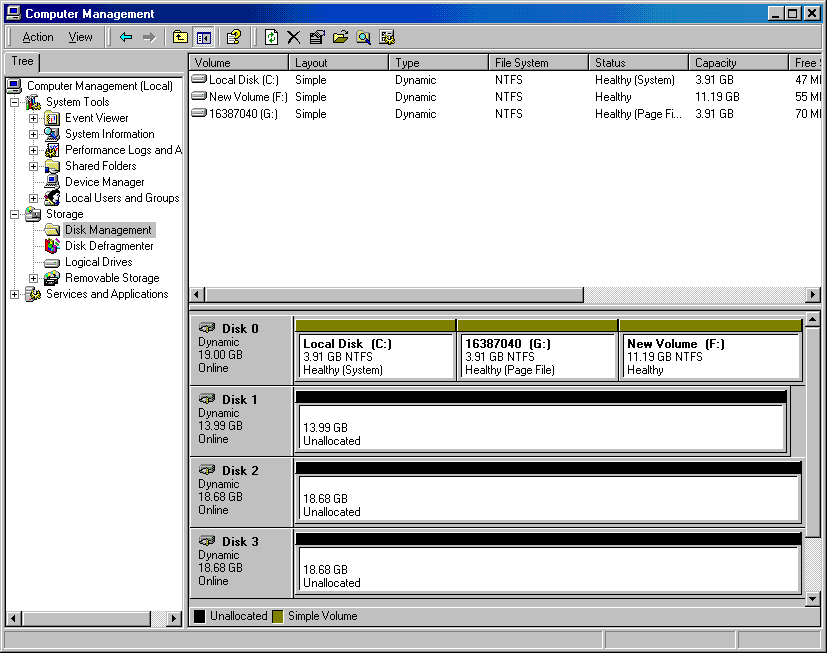
A broken RAID exposing the member disks.

After failure, case 2: The RAID is broken and the member disks 2 and 3 are displayed.
(Disk 0 and 1 are irrelevant.)