|
Use Disk Manager for problem determination
Disk Manager (named Disk Management in Windows® 11) is a system utility located in:
Control Panel
System and Security (this level is shown only if View by is Category)
Administrative Tools (Windows Tools in Windows® 11)
Computer Management
Disk Management
It can be used to determine the cause of the problem, as follows:
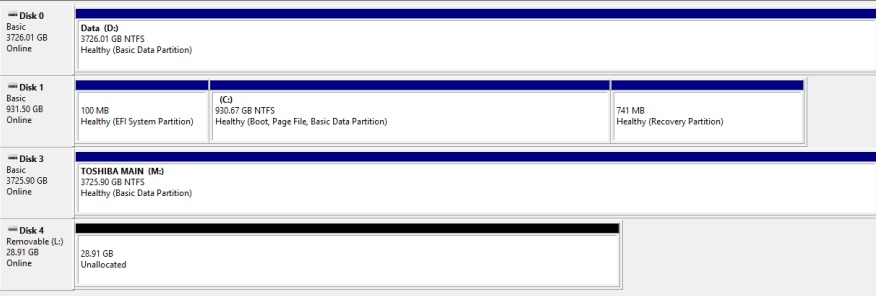
In the example above, disks 0, 1 and 3 are normal. Disk 4 may be uninitialized or corrupted. Any other disks not shown may have hardware or connection problems.
Back to Table of Contents
|
|