Strategies for a corrupted drive
A corrupted drive has no hardware problems but the data is inaccessible due to file system corruption. In Disk Manager it may be shown with or without a drive letter.

Disk Manager shows a corrupted drive with no drive letter.
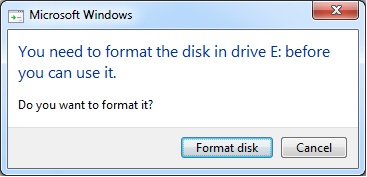
Attempts to access the drive may generate a formatting request such as the following:
Recovery procedure
 Download
and run File Scavenger® as follows:
Download
and run File Scavenger® as follows:
Look for: *
Look in: The disk number of the corrupted drive, in this case Disk 1;
Mode: Quick first and Long if Quick does not work.
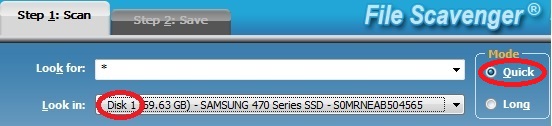
Disk 1 is selected in Look in. Quick scan is used first.
If files are found and successfully previewed in demo mode,
you can buy a license
and save the files to another drive.
Back to Table of Contents
|